
Configuration Manager Software Updates Error 0x800F0831
Configuration Manager: Software Updates Error 0x800F0831
I came across this issue in Configuration Manager while attempting to patch a Server OS.
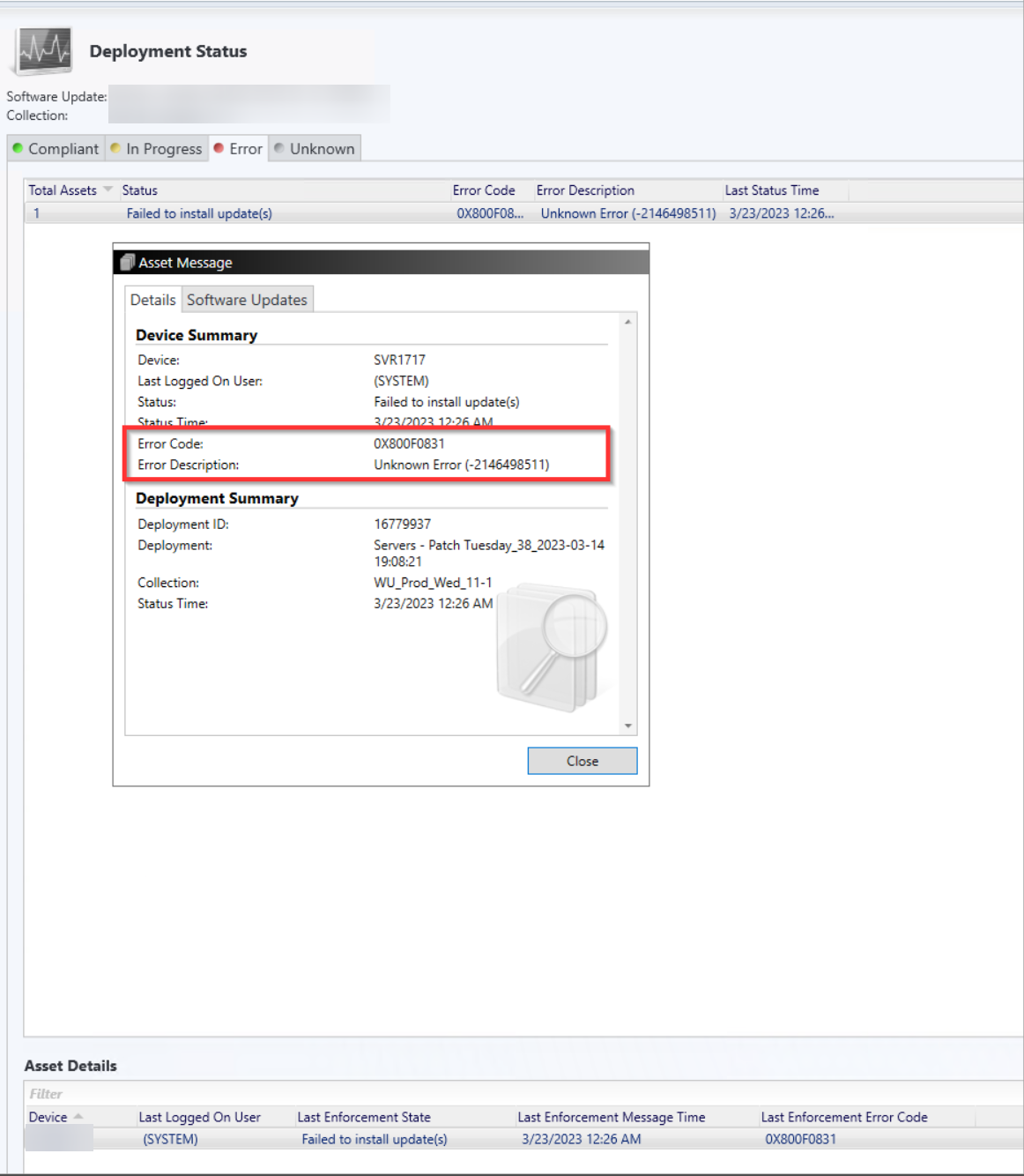
The error:
Failed to Install Updates — 0x800F0831 (Unknown Error -2146498511)
occurs when a pre-requisite update is missing from the system.
To resolve this, we must identify and install the missing prerequisite.
Below is an example from one of my Windows Server 2012 systems where two monthly updates repeatedly failed to install — even after manual retries.
Step 1: Identify the Failed Updates
Log on to the affected server and open Software Center → Updates.
You will see the patches that failed.
Step 2: Review the Log Files
To determine the missing prerequisite, check the following logs:
C:\Windows\windowsupdates.logC:\Windows\Logs\CBS\cbs.log
Search the logs for the phrase:
missing for package
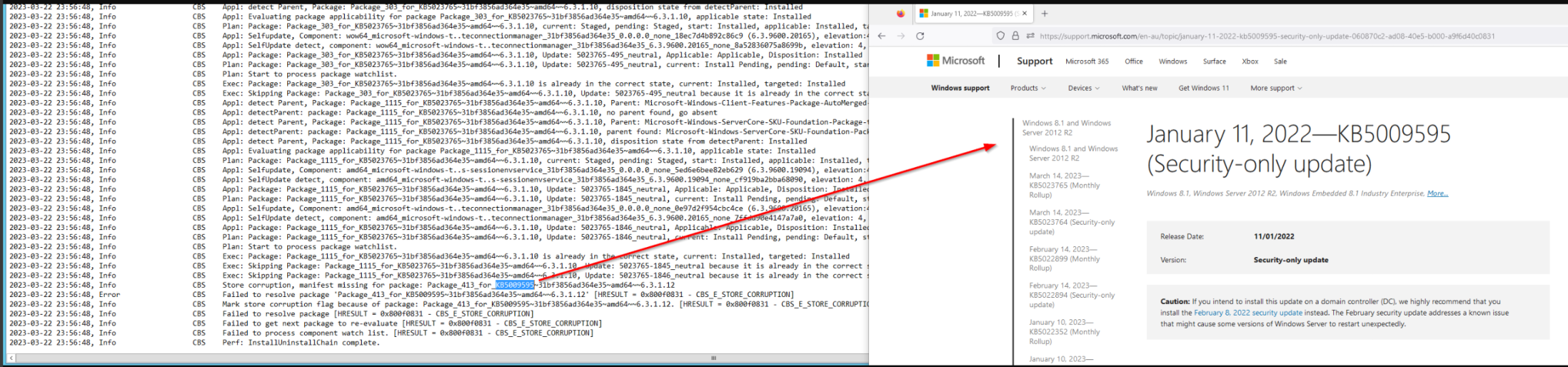
You can also search the CBS.log for the error:
0x800F0831
Review the lines immediately preceding the error — these usually point to the missing update.
Step 3: Download and Install the Missing Update
Once identified:
- Download the missing update from the Microsoft Update Catalog.
- Install it manually.
- Re-run Software Updates in Configuration Manager.
After applying the prerequisite, all remaining updates should install normally.