
Configuration Manager Cloud Attach Error: (401) Unauthorized
ConfigMgr Cloud Attach Error: (401) Unauthorized
CMGatewayNotificationWorker
[Warning][CMGatewayNotificationWorker][0][System.Net.WebException][0x80131509]
The remote server returned an error: (401) Unauthorized.
at Microsoft.ConfigurationManager.ServiceConnector.ExtensionMethods.d__13.MoveNext()
I struggled with this one while setting up Co-management testing in Microsoft Configuration Manager.
Cloud Attach completed successfully — everything looked good. I entered my Entra ID Global Admin credentials and all indicators turned green.
But nothing would sync.
After reviewing the logs, I found the following repeated error in CMGatewayNotificationWorker.log:
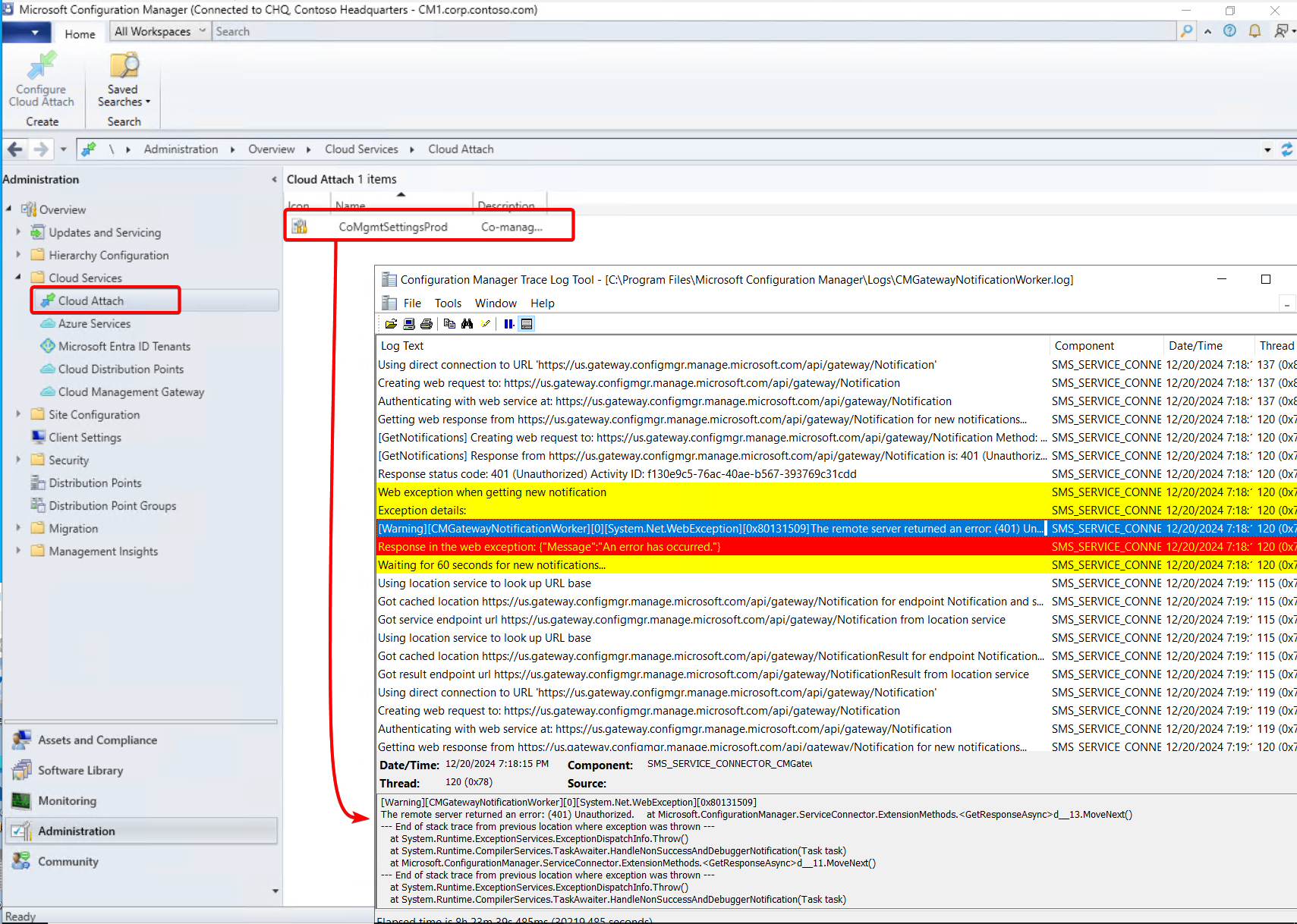
This looked odd, so I followed the connection trail into Azure.
Checking the Enterprise Application in Azure
The Enterprise Application created during Cloud Attach was visible in Azure:
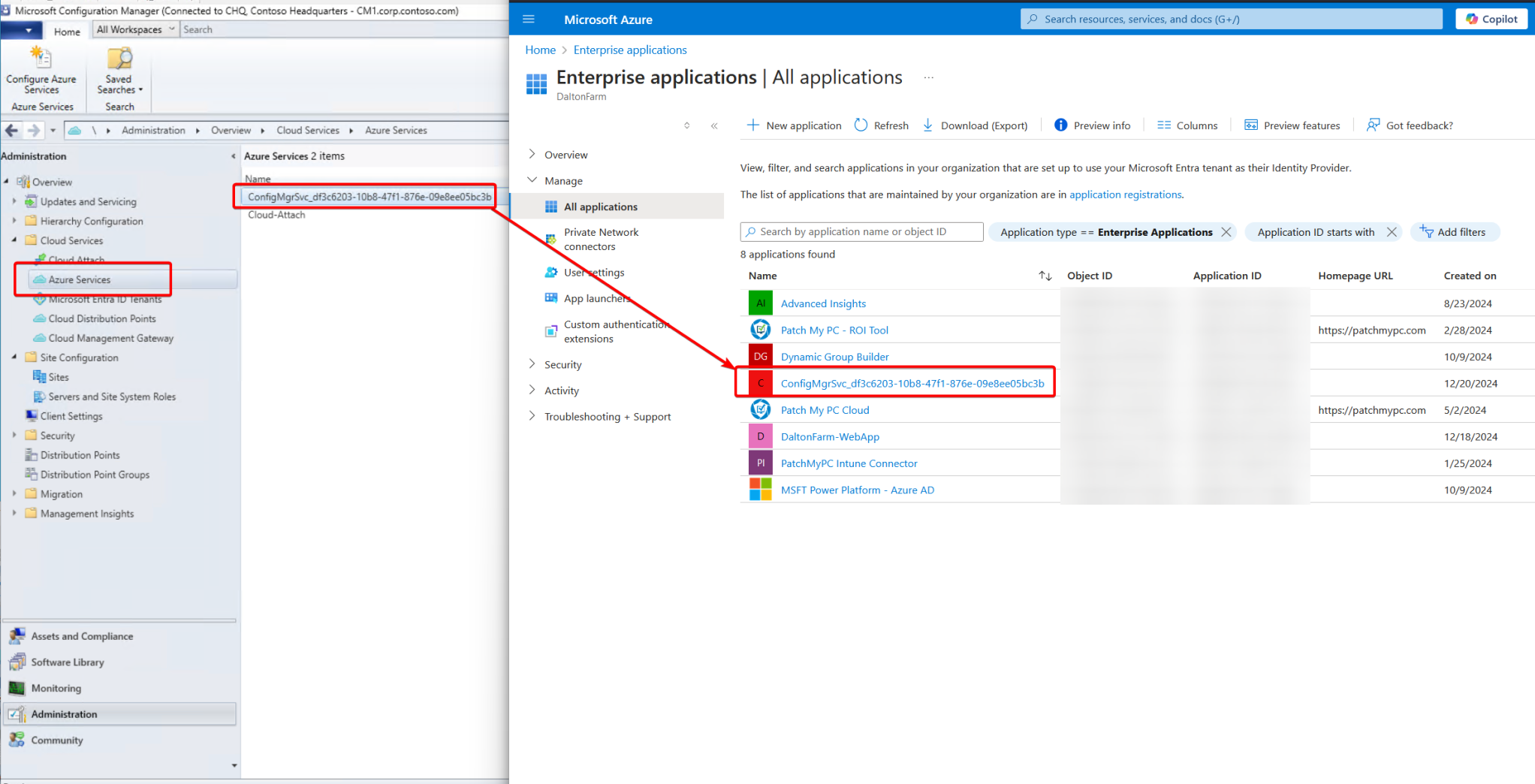
Because this connection relies on Azure permissions — and we were getting an Unauthorized (401) — I reviewed:
Security → Permissions → Grant admin consent
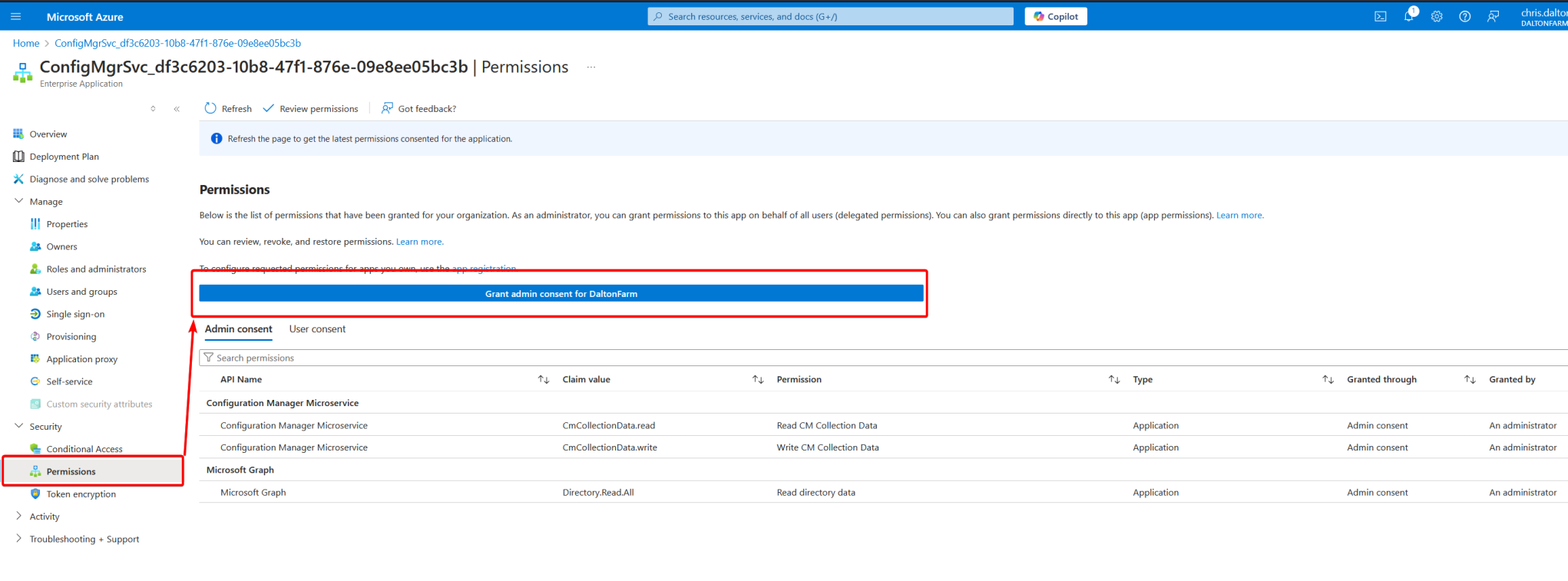
After granting consent, the logs immediately improved:
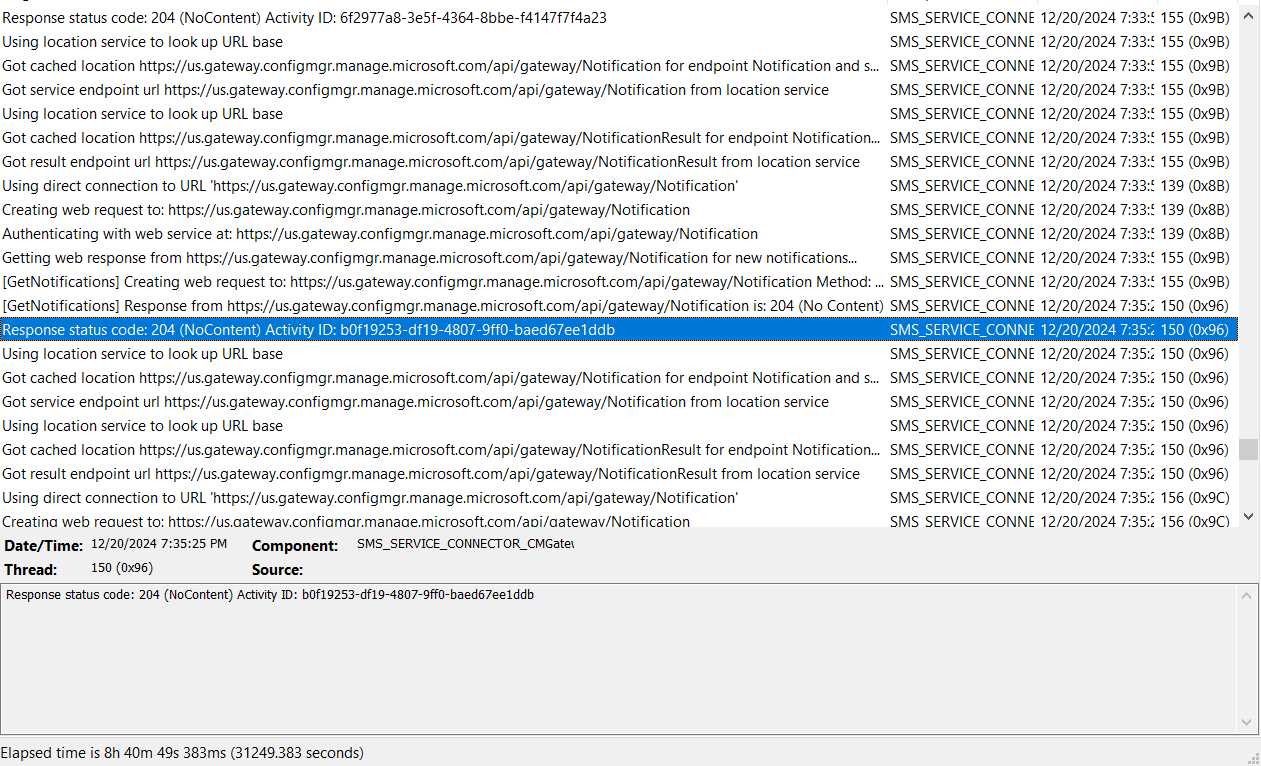
Now we were seeing 204 (NoContent) instead of 401 errors — a very good sign.
Sync Restored
About 10 minutes later, the connection under:
Tenant Administration → Connectors and tokens → Microsoft Endpoint Configuration Manager
turned Healthy.
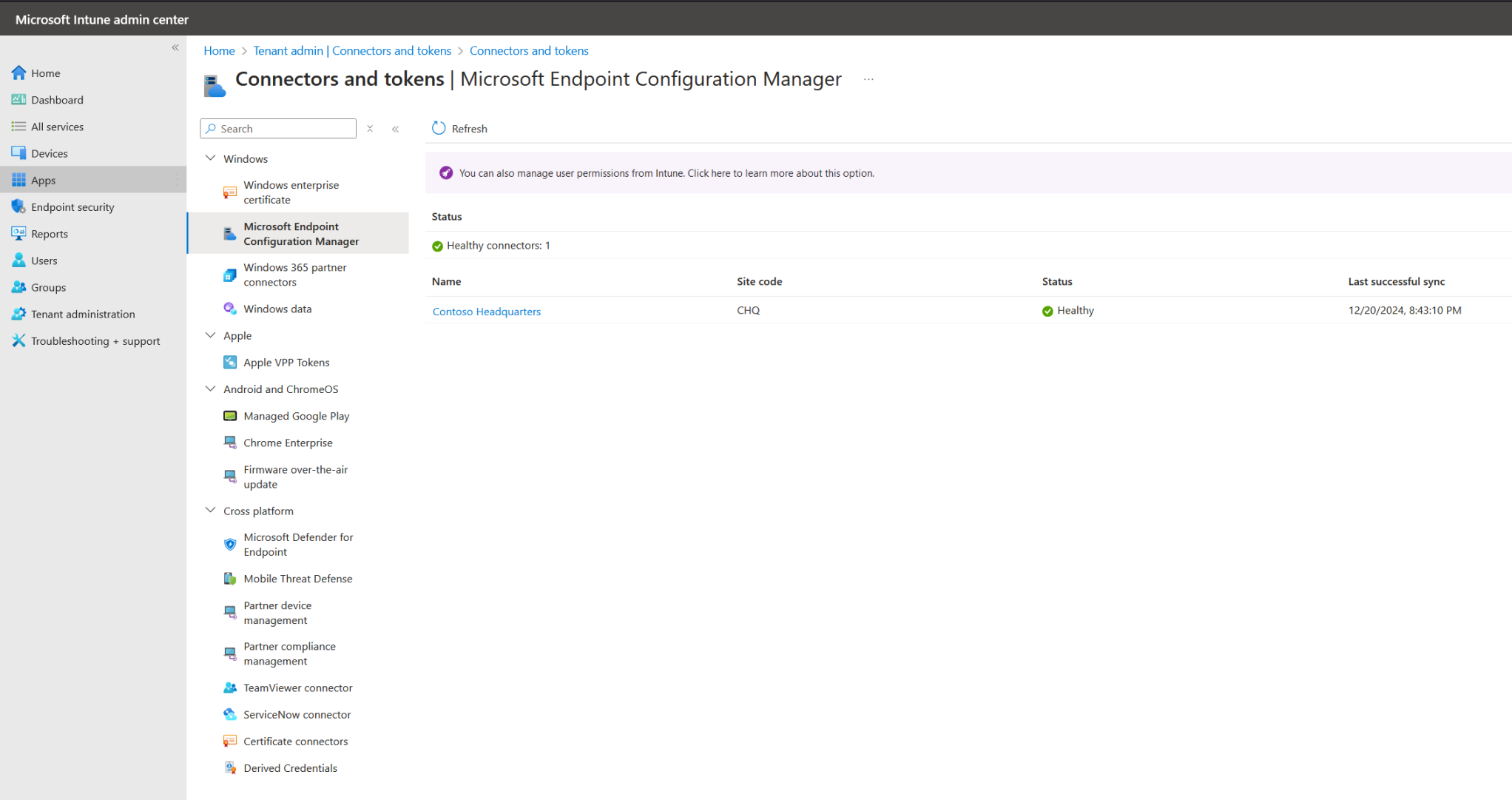
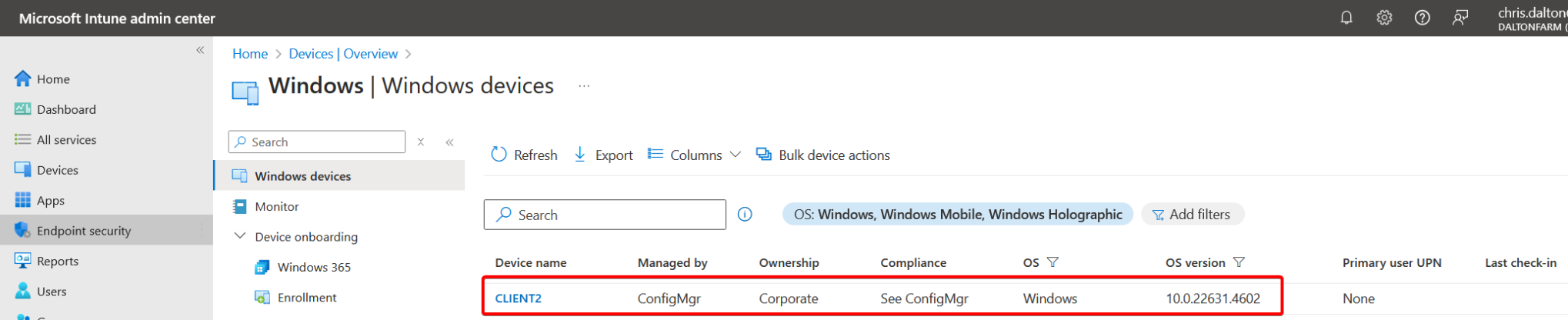
And shortly after, the device appeared properly in Intune:
Cheers.