Configuration Manager ADR 0x80070194 Helper Script
The Cloud file provider exited unexpectedly
404 Error – .cab File Missing
Occasionally this error appears when attempting to deploy updates: 0x80070194
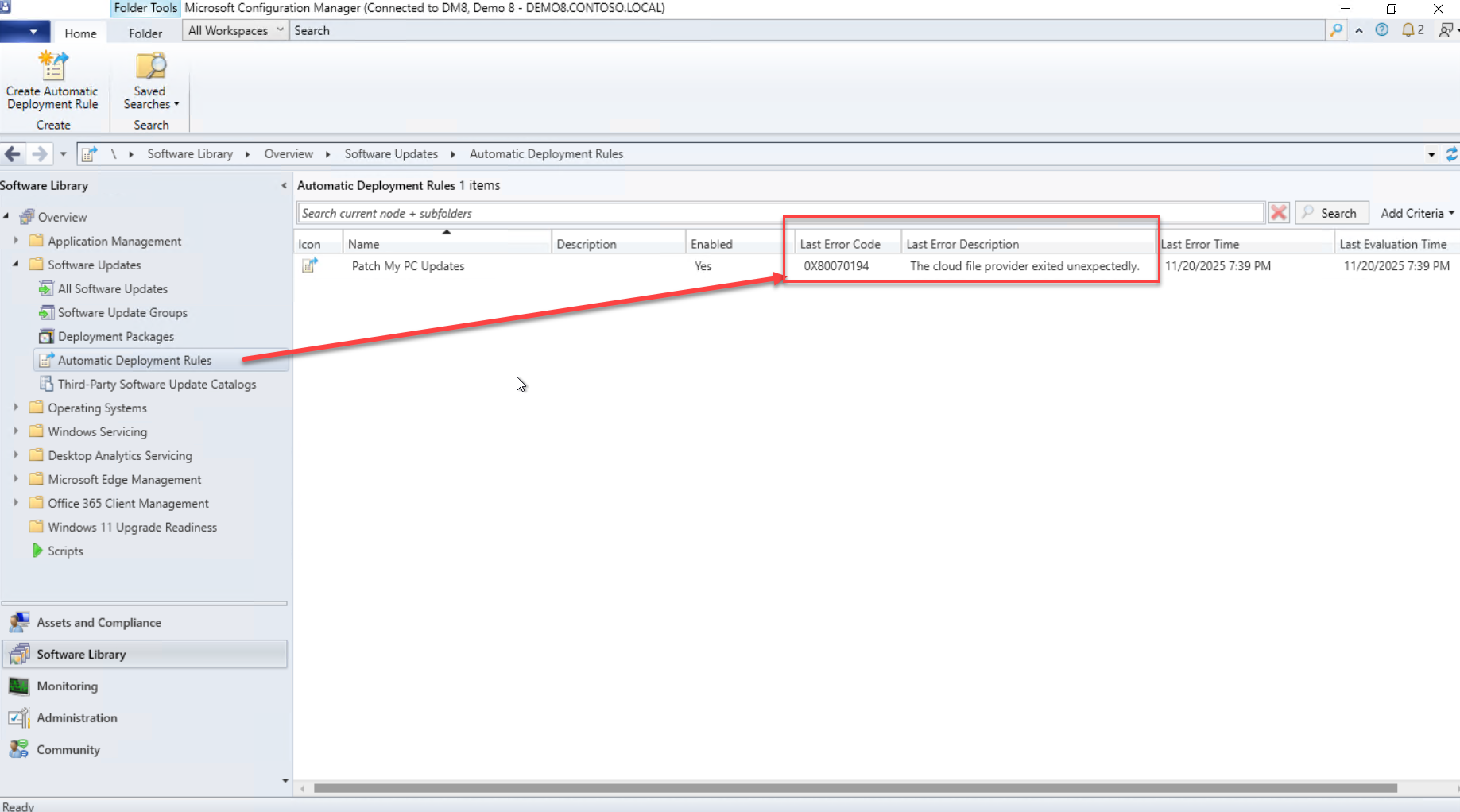
This is usually the result of a missing .cab file. If the CAB file doesn’t exist, you will be unable to download and deploy that specific update(s) where the CAB file is deleted.
For more details, Patch My PC provides an overview of the issue:
https://patchmypc.com/kb/adr-error-0x87d20417/
To resolve the problem manually, follow the steps here:
https://patchmypc.com/kb/missing-cab-update/
Automated Fix Script
While this script does not “Fix” the problem for you. You can use it to help you determine which updates are missing.
Note: This won’t necessarily fix the issue. Whatever originally removed the CAB file could delete it again, even after it’s republished into WSUS.
You may need to identify the root cause of why the file was deleted. Possible causes include:
- An expired certificate
- A WSUS cleanup task removing the file
- The WSUS Administration Content directory pointing to the wrong location
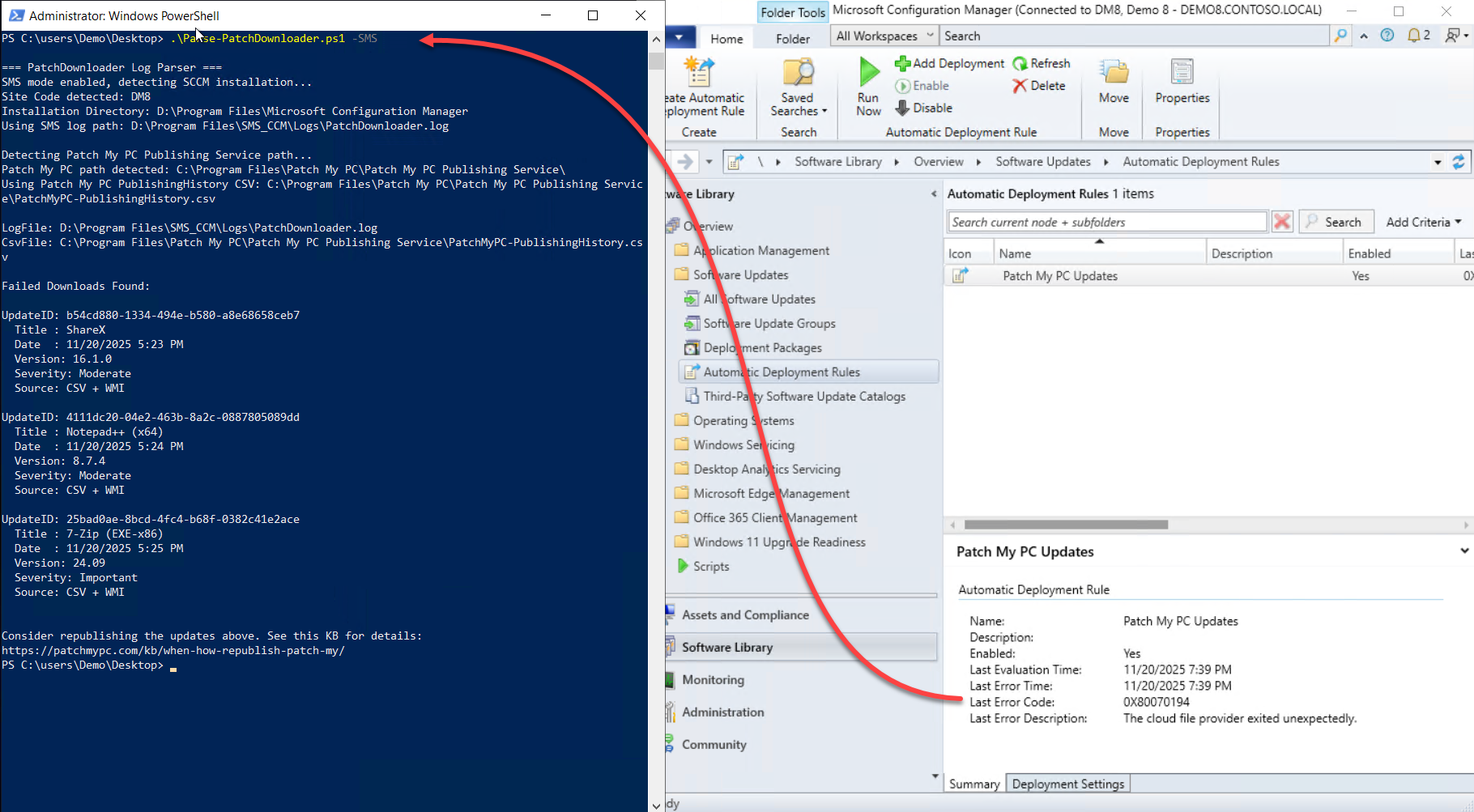
You can also use this script to automatically detect the missing .cab files. https://github.com/ckdalton01/PMPC404Updates/
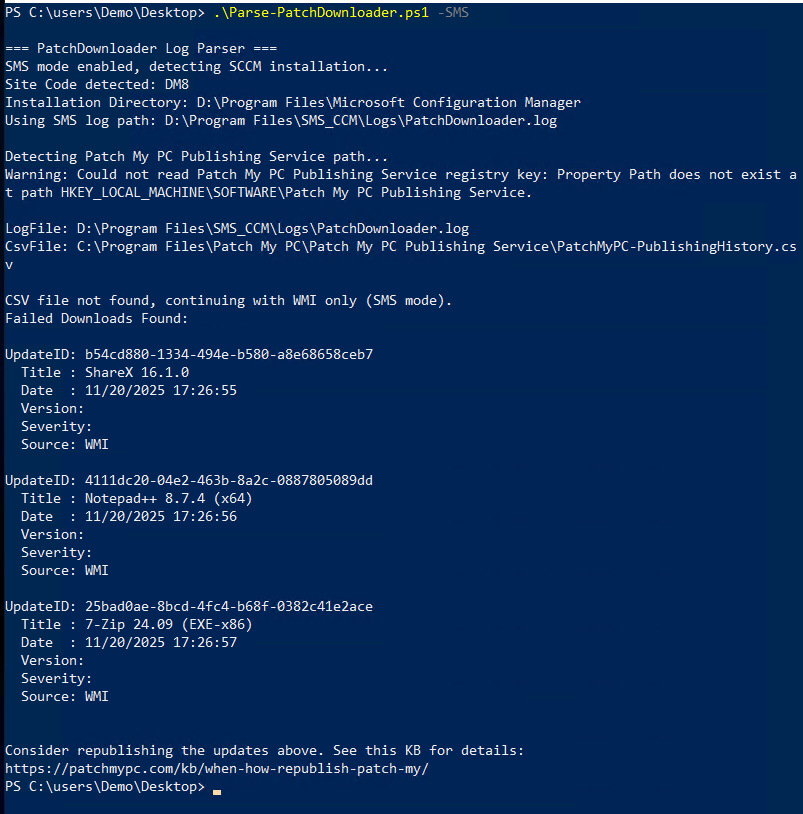
This tool even identifies failures without requiring a Patch My PC subscription:
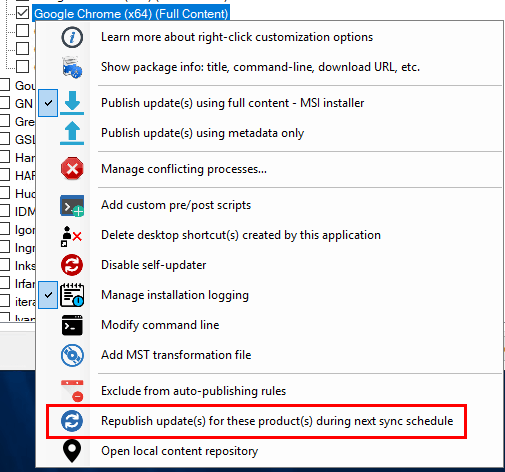
If you are using Patch My PC, you can republish the update that’s missing. Updates > Right Click (your missing update) > “Republish update(s) for these product(s) during next sync schedule”